Understanding AI Image Generation: How Nano Banana 2.5 Fits Into Modern Creative Workflows
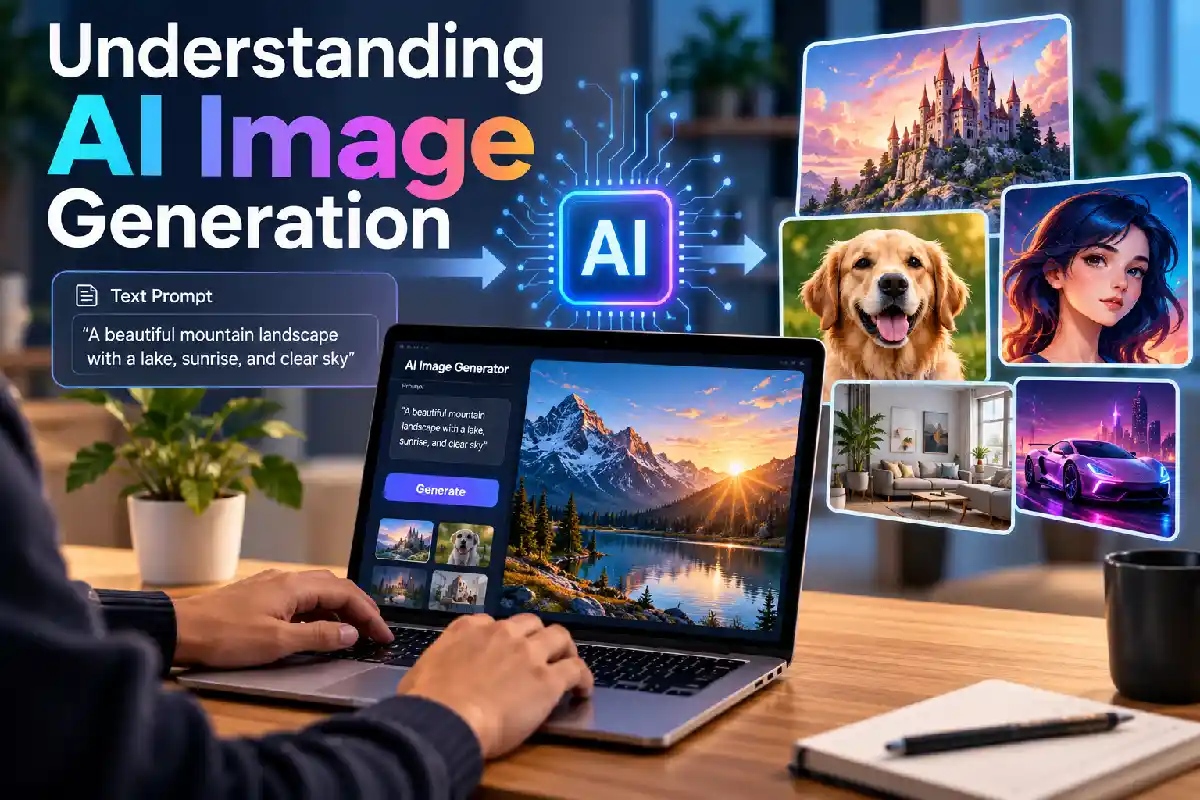
Understanding AI Image Generation: Let’s be honest. AI has flipped digital image-making on its head. You don’t need to live inside traditional design software anymore. Nope. Just describe your idea in plain words. Toss in a reference image if you want. And a few moments later? A visual concept’s sitting right there. Pretty wild, right? These tools are awesome for brainstorming. Getting visual ideas across. Editing stuff. And figuring out those early, messy creative concepts.
Now, one name you’ll keep bumping into? Nano Banana 2.5. And yeah, the naming’s kind of a mess. Google’s image tech has used similar names across different generations. So it gets confusing fast. CapCut’s current info helps sort it out, though. Here’s the deal. Nano Banana 2.5 usually means the original Nano Banana model. Its official name? Gemini 2.5 Flash Image. And Nano Banana 2? Totally separate model generation. Not the same thing at all.
Table of Contents
What Is AI Image Generation?
Okay, so what’s AI image generation, really? Simple. It’s software that makes or changes images based on what you tell it. Describe a landscape. Or a product scene. A character, an illustration, a poster, whatever. Then the AI model cranks out its own version.
And here’s the cool part. Modern systems work with your existing images, too. No need to start from a blank prompt every time. Just upload a photo or an illustration. Then ask for specific changes. Swap out the background. Mess with the lighting. Tweak the colours. Stretch the image out. Or slap on a whole new art style. Easy.
That combo of text instructions plus visual references? That’s the magic. It’s why these tools work so well for goofing around. And for real, serious design work, too.
Understanding the Nano Banana Naming
Quick heads-up here. A model’s popular nickname isn’t always its official technical name. Google’s own documentation says Nano Banana is the name for its Gemini-based image-generation capabilities. And the current docs keep models like Nano Banana 2 separate from other versions in the family.
So why should you care? Because online articles and tools love using similar names. Even when they’re talking about completely different models. Sneaky, right? So if you’re digging into an AI image generator, do your homework. Check the actual model name. The version. Whether it’s even available. And what it can really do. Don’t just trust a nickname that sounds familiar.
Poking around Nano Banana 2.5? Getting this straight saves you a ton of headaches. Especially when you’re comparing creative platforms. And different image-generation workflows.
How Text-to-Image Systems Work
It all starts with a prompt. That’s it. Your prompt can cover pretty much anything. The subject and the setting. Composition and lighting. Colours, perspective, mood. And the visual style you’re after.
Say you type in a mountain village at sunset. That’s a basic one. Fine. Now crank it up a notch. Describe the architecture. The weather. The camera angle. Which way the light’s hitting. The colour palette. Even how much empty space you want around the subject. Way better.
The clearer you are, the easier it gets. You’ll actually be able to tell if the image nailed your idea. But hey, detailed prompts won’t magically give you perfection. Not even close. You still gotta check the results. Objects, text, proportions, tiny details? They can drift away from what you asked. Happens all the time.
Image-to-Image Editing
AI image tech isn’t only about turning text into pictures, though. Image-to-image workflows let you use an existing visual as your jumping-off point. For something brand new.
Picture this. A designer uploads a product photo. Then asks for a different background. Done. An illustrator throws in a rough sketch. And tries out a bunch of visual styles. A photographer plays with lighting. Or changes up the environment. All without rebuilding the whole composition by hand. Nice, huh?
This saves you loads of time in the concept stage. Why? The original image already does some heavy lifting. It gives the AI shapes, positioning, colours. Or the subjects themselves.
Why Prompt Quality Matters
Honestly? Prompt writing’s turning into a legit creative skill. A good prompt calls out the stuff that really matters visually. It doesn’t just wave around some vague description and hope for the best.
A practical structure can include:
- Subject: What should appear in the image?
- Environment: Where is the subject located?
- Composition: How should objects be positioned?
- Lighting: What kind of light or atmosphere is required?
- Style: Should the image look photographic, illustrated, cinematic, minimalist, or another way?
- Restrictions: What should not be changed or included?
Doing an edit? Then spell out what absolutely has to stay the same. Trust me, this matters. Especially for product shapes. How a character looks. Layouts. And any other recognisable bits.
Common Uses of AI-Generated Images
AI image generation pops up in loads of creative fields. Content writers can whip up illustrations for their articles. Educators can make visual examples for lessons and presentations. Designers can play with early concepts. Before committing to a final design.
Social media folks? They can test out different visual vibes. For posts, thumbnails, or story graphics. Businesses get in on it, too. Product scenes. Packaging ideas. Presentation images. All sorts of early-stage stuff.
Where it really shines, though? Brainstorming. Hands down. You can explore a whole bunch of visual options. Without grinding out every single variation yourself.
Reviewing AI-Generated Results
Here’s the thing. Hitting “generate” isn’t the finish line. Not even close. You’ve gotta check those images carefully. Before publishing. Or using them for anything professional.
Keep an eye out for the usual suspects. Wonky text. Weird hands or objects. Shadows that don’t line up. Stretched or squished proportions. And those sneaky little changes to important details. Got factual info in the image? Labels? Product specs? Real, recognisable people or things? Then double-check everything. Don’t just trust it and move on.
Oh, and one more thing. Check the image size and file format, too. Before you drop it into a website, presentation, print project, or social platform. Saves you a nasty surprise later.
The Future of Creative Image Tools
So where’s all this heading? Towards all-in-one workflows. Creating, editing, polishing, and adapting images. All in one spot. No bouncing between apps. Google’s newer Nano Banana models, for example, push generation and editing together. And creative platforms today keep mixing AI generation with good old regular editing tools.
Digging into Nano Banana 2.5? Here’s the big takeaway. The model name’s just one piece of the puzzle. A great workflow depends on way more than that. Your prompts. Your reference images. The editing controls. The output options. And a careful human eye on top.
AI can seriously speed up your visual experiments. No doubt about it. But the best results? They still come down to you. Clear creative direction. And some good, thoughtful judgment at the end.